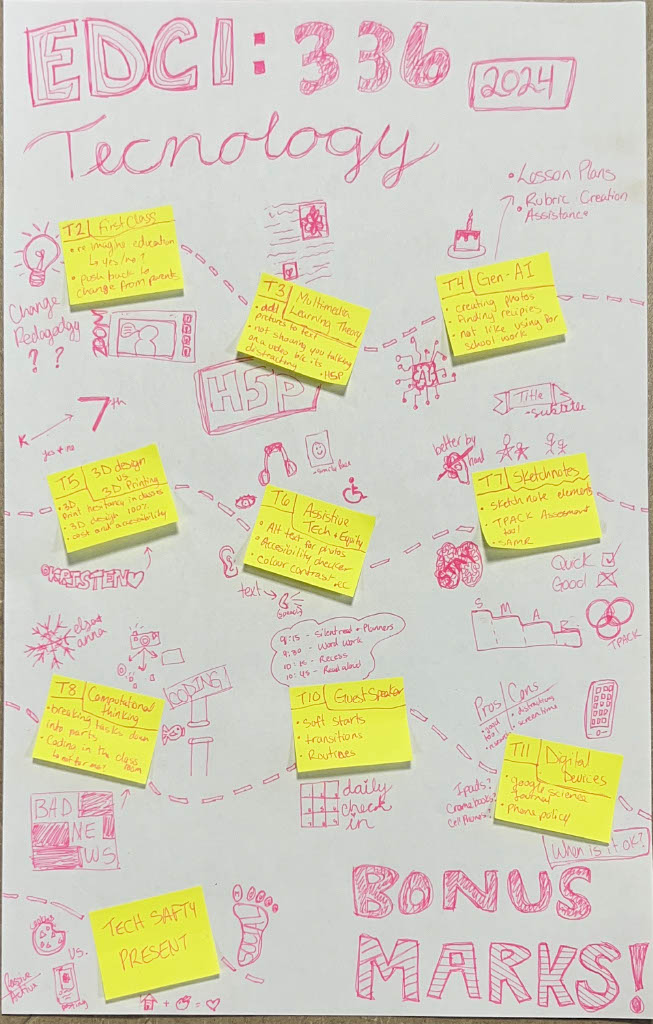
In class today, we talked about the use of phones in schools, the new ban on phones in schools and a science journal that integrates tech into the classroom in an interesting way.
PROS
Good tools for research
They act as accessibility tools for students who need it
Kids can access learning independently through designated games/apps
They can add to lessons and give a better learning experience
.
CONS
Hard to regulate
Can easily be misused and turn into a distraction
Too much screen time for students
Potential exposure to harmful content and privacy risks
The science journal is a really cool tool for teaching and learning about science. I think it would be great to use it in my L2P classroom, but the fact that we only have 5 iPads for our class of 24 students may pose a problem.
.
As the Backstreet Boys like to say, “Bye, Bye, Bye”,
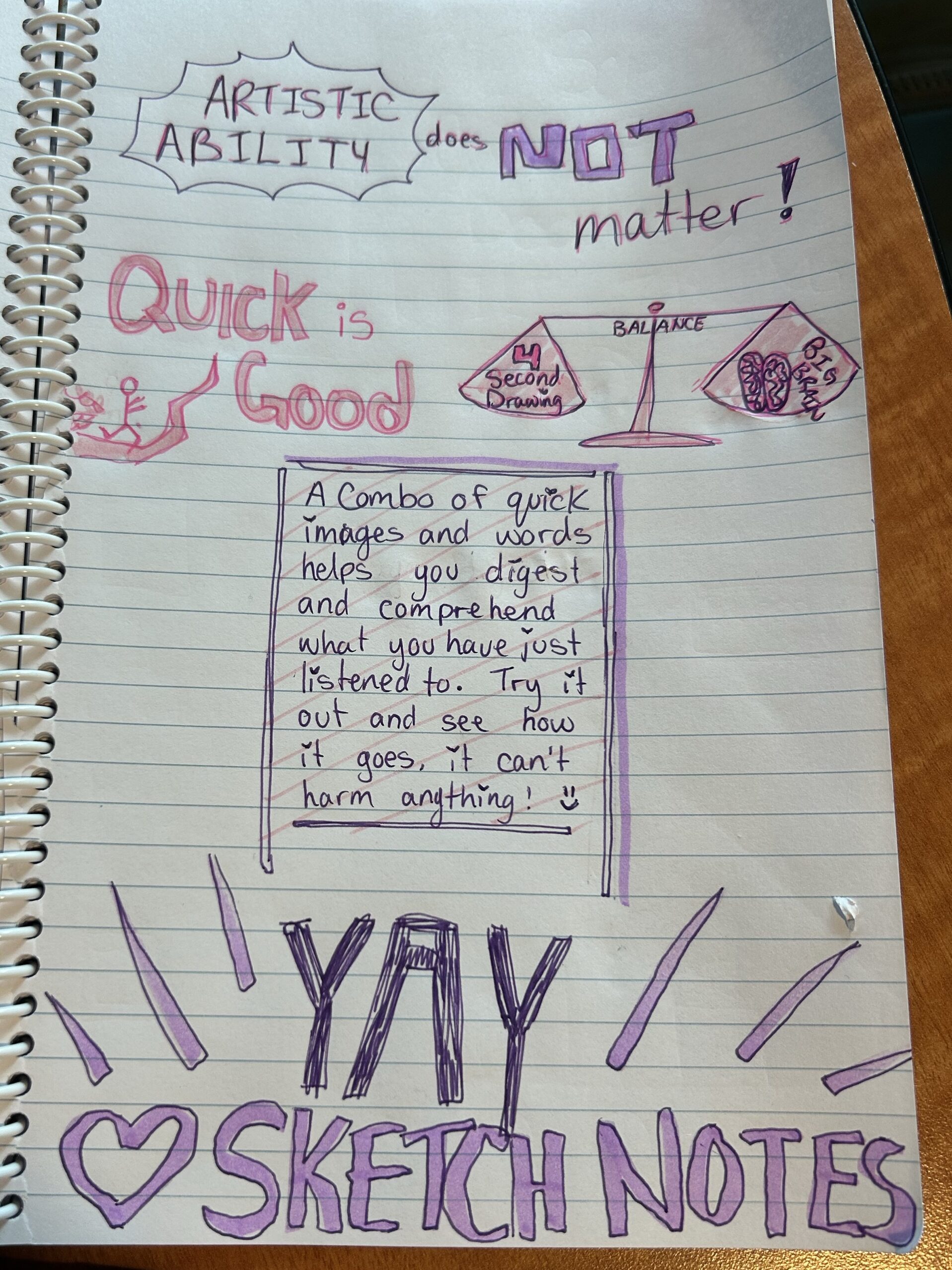
This is my final sketch notes reflection on our EDCI 336 class. It was a great class where I learned so much. It made me excited to incorporate tech into my own classroom. Below I have added a picture of my sketch note reflection.
(One thing I like about using technology over paper is spell check as you will notice quite quickly)
You are able to use this as an example as long as you don’t mind the spelling error : )
When it comes to digital accessibility, I believe there are things that can get left out or forgotten about. I will admit that I often forget to add in different accessibility tools. That is to say that I never do it purposely. Usually, it happens because I either do not know about it or I do not know how to do it, but occasionally I do forget to include it altogether. For instance, in class we learned more about Alt text which I had previously not known about and had such not included it. I also had problems including it because I could not remember how to do it. But since I have learnt and grasped the new accessibility feature I do my very best to make my website and my internet usage as accessible as possible.
I think that one of the reasons that digital accessibility tools aren’t more common and well known is because a lot of people do not realize they are necessary. The majority of people are privileged to be able to access the internet with relative ease and because they do not struggle and might not have someone close to them that needs accessibility features, they do not recognize the importance and need. People may also perceive it as a hassle to add additional features to everything they create. This is not a good outlook to have as everyone deserves to have access the same information and accessibility features like Alt text balance the playing field and promote equity.
I choose this picture because I am a Christmas girl at heart all year round, plus I love a fruity festive mocktail around the holidays! (Alt text included)
.
This is a video I recorded in our first in-person class so I apologize for the poor quality but it is a good demonstration of the use of subtitles, which are a fantastic accessibility tool.
Another great way to add accessibility features to videos is by adding H5P features to your videos to make them interactive and more accessible. If you would like to checkout H5P (which I would highly recommend) click the link below to sign up.
Today we had a guest speaker who spoke to us about classroom management tools. I have listed a few of the tools below that she discussed below.
Soft Starts and Transitions
Soft starts are a great way to begin the day for both the students and the teacher, it provides a time to acclimate to the classroom and prepare themselves for the day. I have seen a variety of classrooms using and not using soft starts and I believe they are great to use across all grades, provided that you have a dedicated strategy that works for your students. Transitions are something that almost all students struggle with and having routines that are set in place early are vital for student self regulation as well as keeping the class calm throughout the day.
.
Routines and Expectations
Routines are great for students to know what to expect and reduce anxiety caused by the unexpected. The students will pick up on the expectations of the class and hopefully be able to adjust themselves accordingly. For example, having the day schedule posed somewhere up in the classroom is great for student, while also being very beneficial for any support staff that come in to support or take students for one-on-one help. Expectations are also important to set at the beginning of the year and continue to reinforce throughout. Having a posted ‘class rules’ sheet is a good reminder for students, especially towards the end of the year when the student get the holiday crazies. This also helps create equity in the classroom so students who need the extra hand in remembering what to do throughout the day or students with additional needs have the ability to understand what is next.
.
Modelling
Using strategies similar to “I do, we do, you do” teachers can model the example they have created. It is a strong advantage to students’ learning to have examples of what is expected by the teacher; through modelling from the teacher or examples of past student work, this can be achieved. If handled incorrectly, the use of past students’ work can pose a privacy issue, but taking simple precautions, such as securing consent to use the work and erasing the names, can reduce/eliminate the issue. I found that I personally learned and produced better work when I had something that I could scale my own work against. I always found that when I was not sure what was considered A work or B work or C work, I tended to do worse than if I knew what I was working towards. I find this to be similar with students I have worked with over the past few years when I was an LSW (learning support worker) and this year with students in my grade 5 L2P class.
.
Digital portfolios and alternatives to report card
Digital portfolios are something that is new to me but super interesting. The example that was given was FreshGrade. I would love to continue to learn about this new type of evaluation because it is so different compared to the traditional grading and report system. I have heard about how fantastic FreshGrade is from Brittany and how it can be great for parents to stay in tune with their kids’ learning/education. Still, I have also spoken to educators who are not convinced of its greatness and are opposed to the new technology. As a new teacher still learning about different types of evaluating and reporting, I am definitely intrigued by FreshGrade. From what I have gathered so far, some of the benefits are an increased connectedness between student progress and parent involvement and a fuller overview of the students learning. As for drawbacks, the workload on the teacher could increase if they constantly have to take and upload photos to the sight. Additionally, taking photos and being on devices takes the teachers’ time away from assisting students and promotes a phone-focused grading system when schools are trying to lean away from student phone use. Whether systems like FreshGrade catch on in a larger scale or stay small is still to be seen, and I look forward to seeing where it leads.
During class today, we discussed computational thinking. I believe that computational thinking can definitely help students become better problem solvers. Problem-solving and computational thinking alike are about breaking down a problem or situation into smaller, more manageable pieces. Then, you can look at each individual piece, figure out how it works and start combining them together until you have solved the problem or made the situation functional once more. This is important for students because it helps them learn to work things through independently rather than being shown the way. Computational thinking can be put to use in all types of subjects, such as math, where you might be breaking a large number down so you can add, subtract or multiply it easier to get to the solution. In science, you have to break down the steps of an experiment to make sure it goes correctly (or figure out why it didn’t go the way it was supposed to). In language arts, breaking down the story into pieces and evaluating them to determine the overall theme, as well as the climbing action climax, falling action, and denouement. As has been demonstrated, computational thinking is advantageous across all subjects, and having the skill of problem-solving will set students up to do well in both middle/high school as well as in the working world when having to interact with people and unexpected problems regularly.
.
Once again, I have come up against something that I am not super familiar with, and although I find it interesting, I am not sure how comfortable I would be teaching something like coding. I do believe that coding has a place in education as it can be used in many ways and teach useful skills, but I personally do not understand it enough to feel ok teaching it, and unfortunately, I will admit I do not have a huge interest in becoming proficient in it. However, when we zoom out a little bit from coding and look at gamification, I am far more intrigued by the possibilities. Gameplay can be used in many ways, and in particular, it can be used to trick students into learning about the stuff they do not want to learn. Games can hold their interest in learning for longer than simply reading out of a textbook. I wish that when I was in school, we had the option to occasionally do math games or read/listen to an audiobook because I would have personally paid far more attention to subjects like social studies if it was a hands-on or a game version of what we were learning. Learning through games is also a great UDL tool for students who are new to English, struggling with reading or writing, or just need a new way to look at education.
.
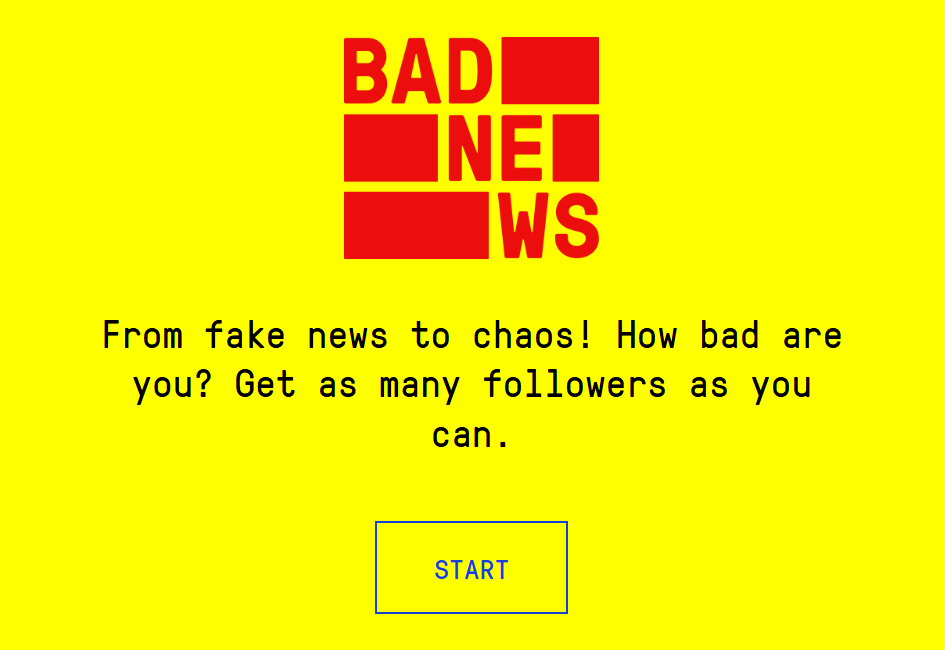
I have included the Flappy Bird game that I have coded below as well as a link to a fake news game that is great at teaching the dangers of social media and the thinks to look out for when using social media.
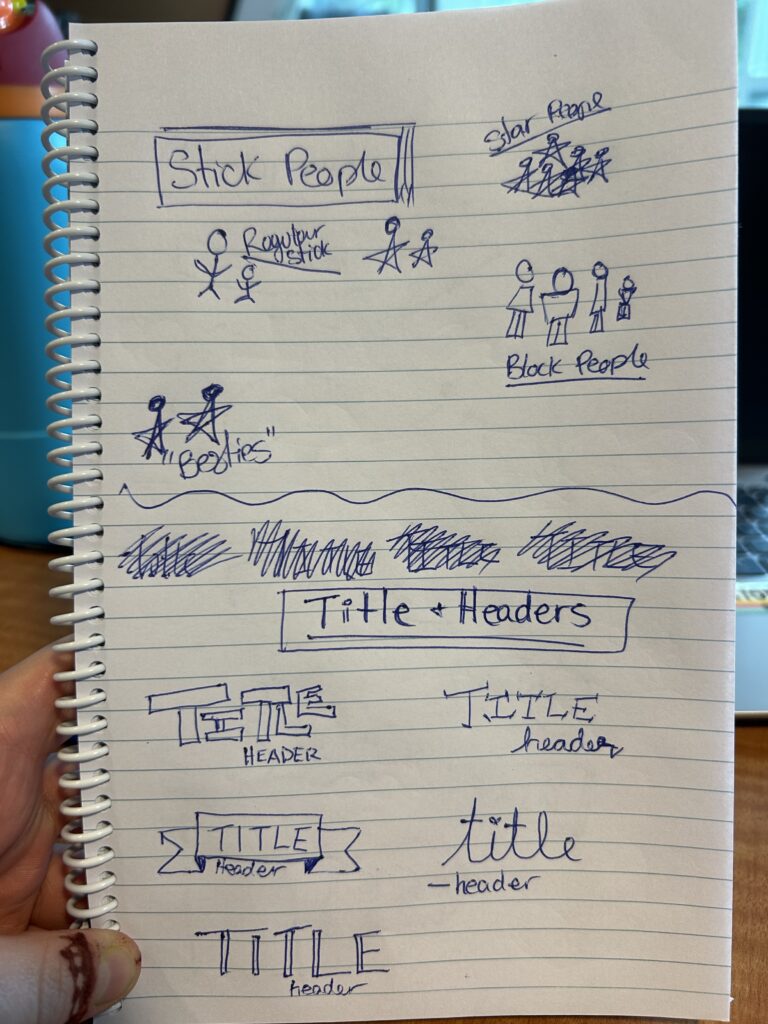
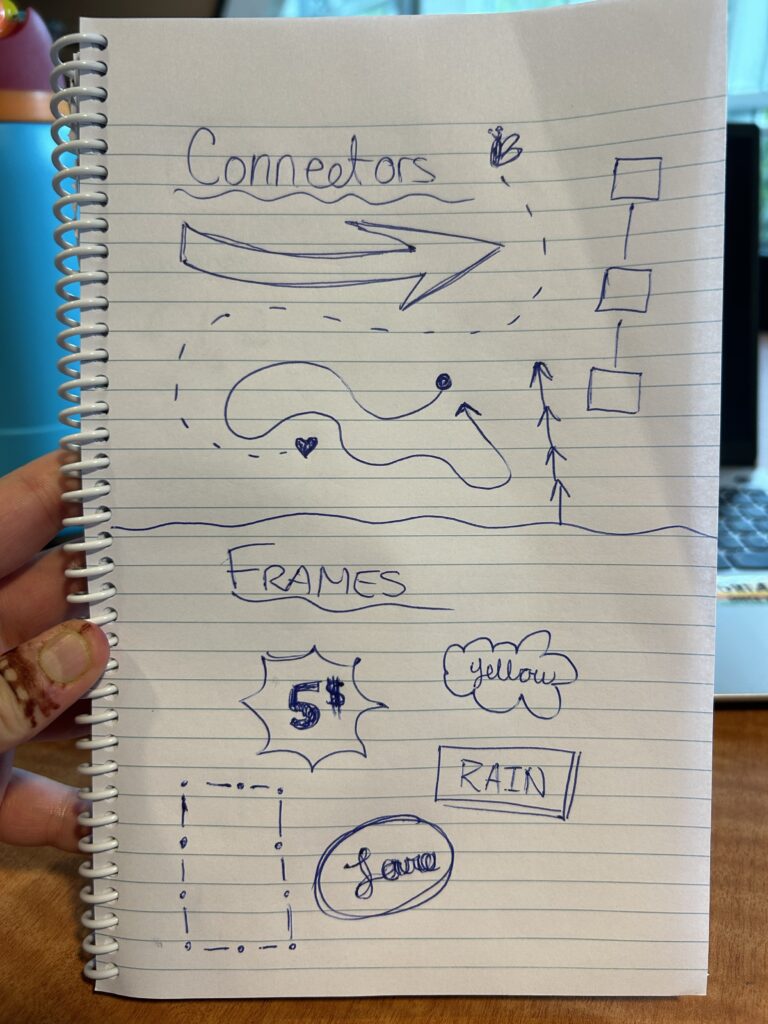
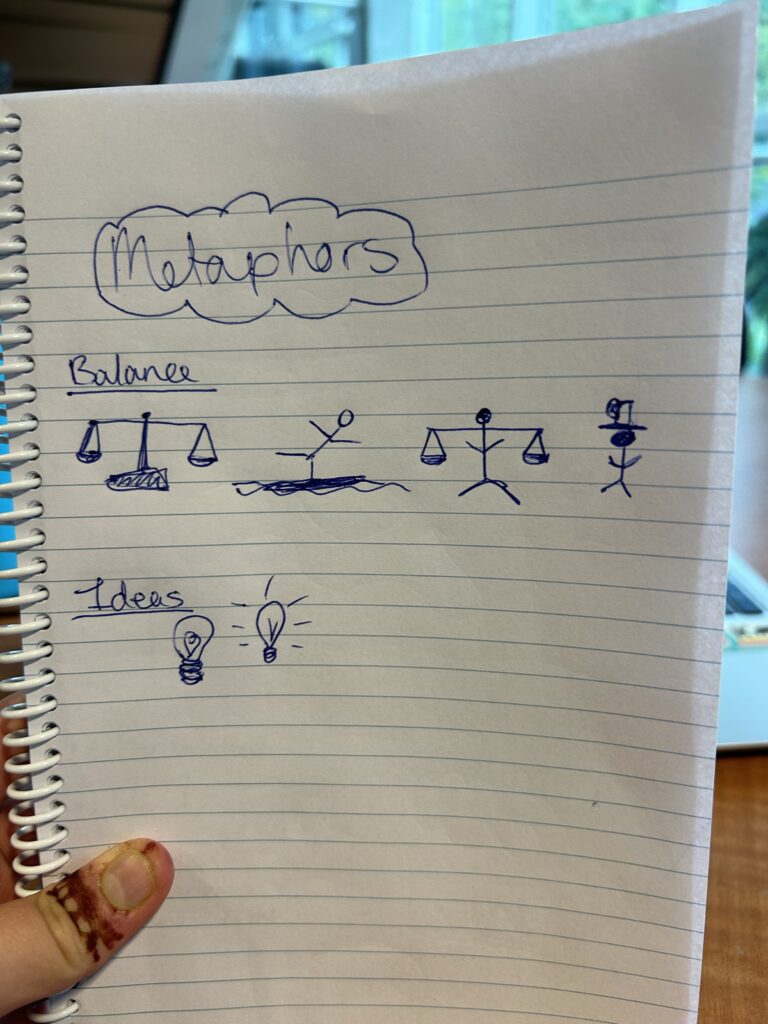
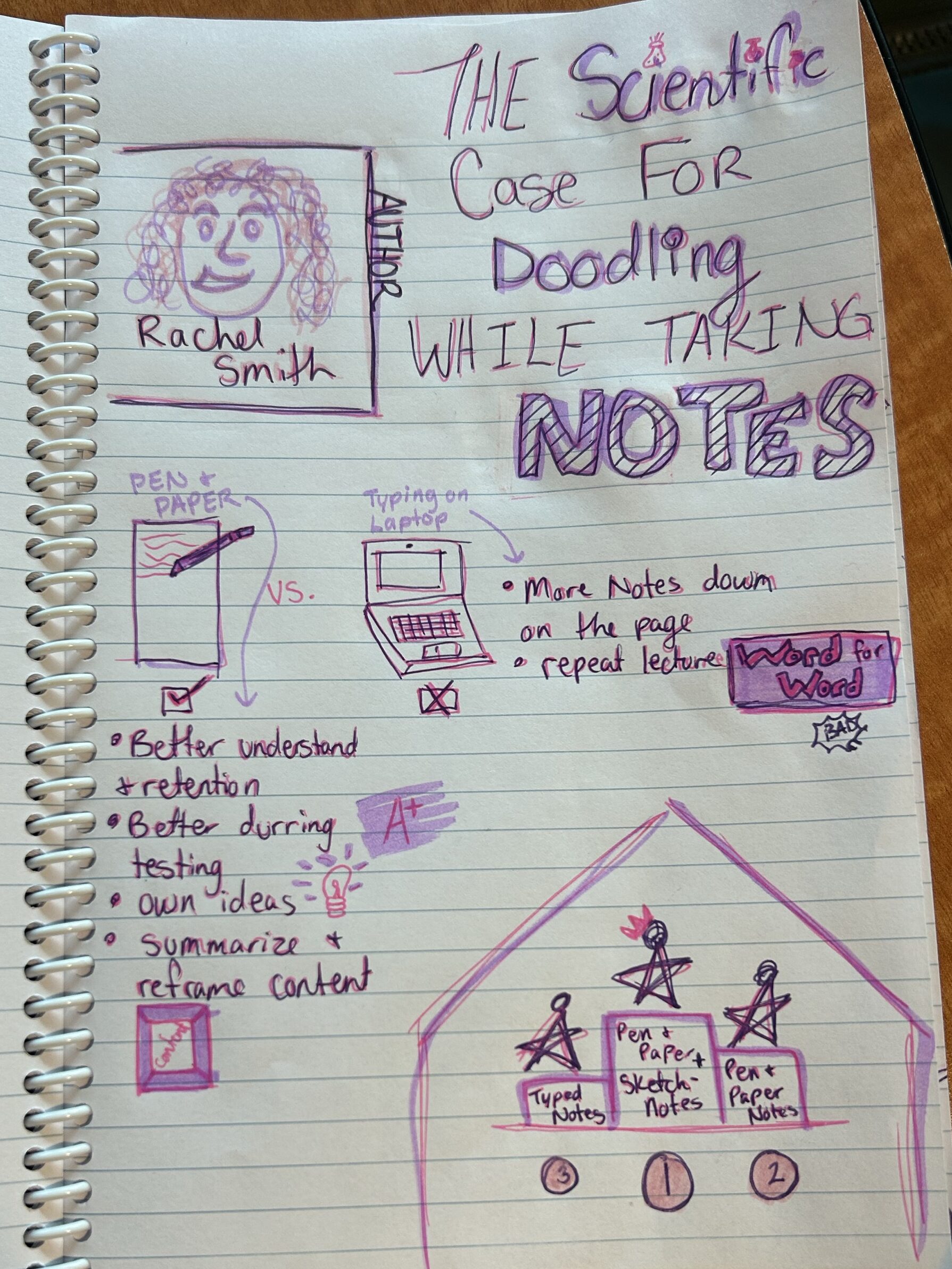
Sketchnoting is something that I know quite well; it is stuck in my head due to events that happened while my English 11 class was covering this unit. I can confidently say sketchnoting is the largest of the few things I remember from English 11 because halfway through our term, the lovely COVID-19 hit. With this being the last unit before the nothing during quarantine, it has latched itself inside my noggin. That being said, I do love sketch notes. I find it super useful for myself as my brain works better when there are colours and pictures to connect to the text we are learning. It has taken a long time since high school for me to be able to consistently utilize sketch notes because I would always get in my head and worry about the quality of the pictures and if it was up to the high standards that my high school English teacher set. Since coming to university, I have let go of those worries and remembered that the whole point of sketch notes is to help your own brain and not worry about nonexistent rules
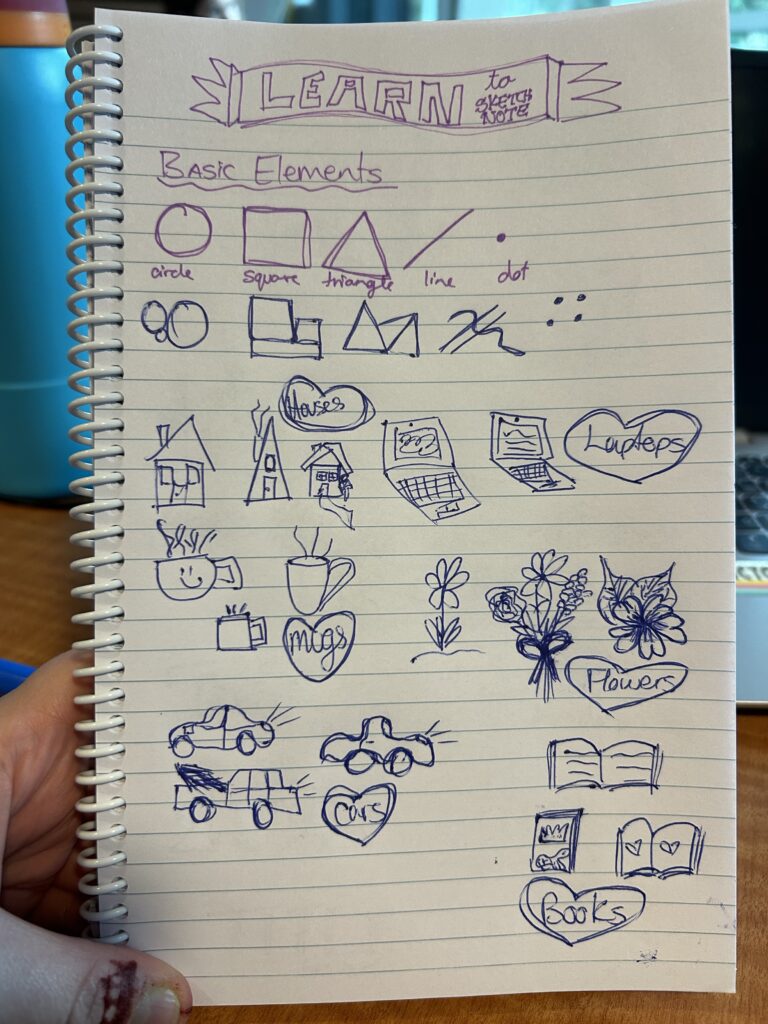
Below, I have included a few pictures of different sketch note elements and how those elements can come together to create sketch notes based on an article titled The Scientific Case For Doodling While Taking Notes.
In my grade 5 L2P class, I believe that sketch notes would be super beneficial because nearly every kid in the class loves to draw and doodle during free time and read-aloud time. They are still learning how to take notes when reading or listening, and if we get them started on sketch notes now, they will gain the skill and confidence through middle school and into high school. In high school and university, note-taking is vital to understanding what you are learning and how to study for tests and assignments, so having the fully developed skill would give them a leg up over students like myself, who were not good note-takers going into high school and university. Using the art that they already love to make sense of new and confusing topics would be an easy way to broach note-taking in differing forms.
___
The TPACK model could help me choose the best technology for each situation by making me stop and assess the three main types of knowledge and their intersections to determine what will benefit the most. The three types of knowledge are Technological, Pedagogical, and Content, each of which is essential in determining the best route for your students. The specific group of students and the teacher’s teaching style will also heavily affect what is implemented because they are the context that shapes everything. TPACK is a great way for teachers to assess their own teaching and how well they integrate technology that I look forward to using in the future.
Admittedly, I am very new to 3D design and 3D printing. My technological skills and knowledge are still heavily on the learning track. For this reason, I am personally a lot more wary of using 3D printing in an elementary classroom.
I believe that 3D design has a spot in a grade 5 classroom, but I am not so sure about 3D printing. 3D design could be worked fairly easily into different subject areas like shapes/geometry in math, living things and cloud formation in science, and character design in language arts. Since it can be combined into other units, it is not taking any time away from other subjects but rather adding to them. It is also beneficial for students to be able to conceptualize and visualize things in 3D as it will crop up later in their schooling.
An excellent example of using 3D design across a different subject area is incorporating it into a social studies unit. Similar to the activity we did in our tech class, my L2P class worked on the spaghetti marshmallow tower challenge, but it was different because each group had a set of instructions for how they had to organize themselves. Each set of instructions depicted a different type of government – democracy, dictatorship, oligarchy, and anarchy. The kids did not know this at the time, but as they attempted to build their towers, their actions were influenced by the leadership style and at the end of the activity, this was explained to the class. I am generally not a fan of social studies, but doing an activity like this with the class gave me a new perspective on it, and I found it really useful to use the 3D design elements to broach a non-favoured subject. It also made a clear point to the students about different types of governance and what they mean. Here is a link to the lesson and activity.
When it comes to 3D printing, I believe that it is really cool to do and play with, but I do not think it is necessary in an elementary school. In elementary school, there is so much that students need to know before they move up to middle school that should take priority. When students get to high school or maybe middle school, it would be better because it can be incorporated into a computer or technology class that is more specific to the learning around it. Elementary school students are still relatively young to properly utilize and respect tools like 3D printing. Another point against 3D printing in elementary schools is simply a cost and accessibility issue. 3D printers are notoriously expensive and not something that many elementary schools would have room for in their budget. The elementary school I am in for L2P receives minimal funding as it is, which barely stretches to cover everything students need, like support aids and does not have extra money for technology tools like computers or tablets, let alone a 3D printer.
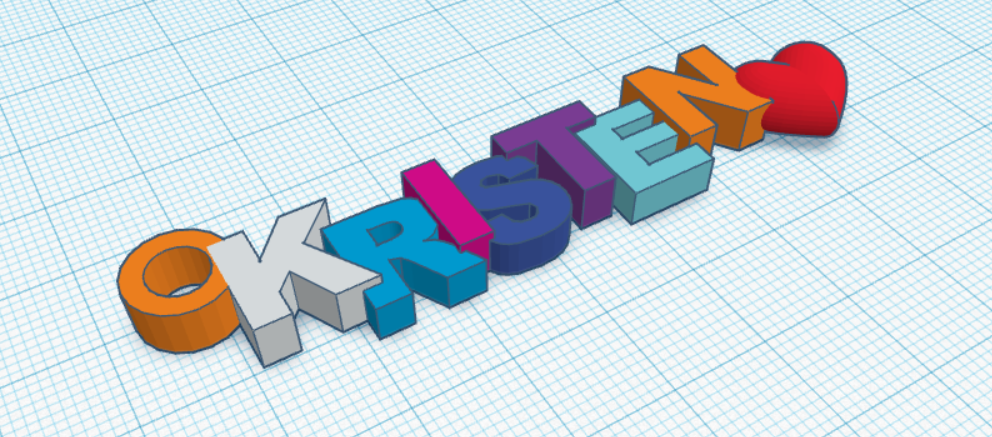
On a different note, however, learning to design and print a keychain with my name in class was super cool, and I am glad we got the opportunity to try it. I have included a picture of my design below and a video of how I created it; it is simple but still pretty cool, in my opinion.
It was tricky at first because I had absolutely zero idea what I was doing, but as I continued to play around and follow a few step-by-step guided videos, it became easier and more fun. Admittedly, this could pose a challenge for someone who struggles to visualize things in 3D and can’t mentally rotate objects but that is where programs like Tinkercad can come in handy. It can help develop any 3D perception/visualization skills that may be lacking.
Gen AI is such an interesting concept to me because, in some ways, it can be helpful and beneficial, but on the other hand, it can be used to cheat and skimp on actual learning.
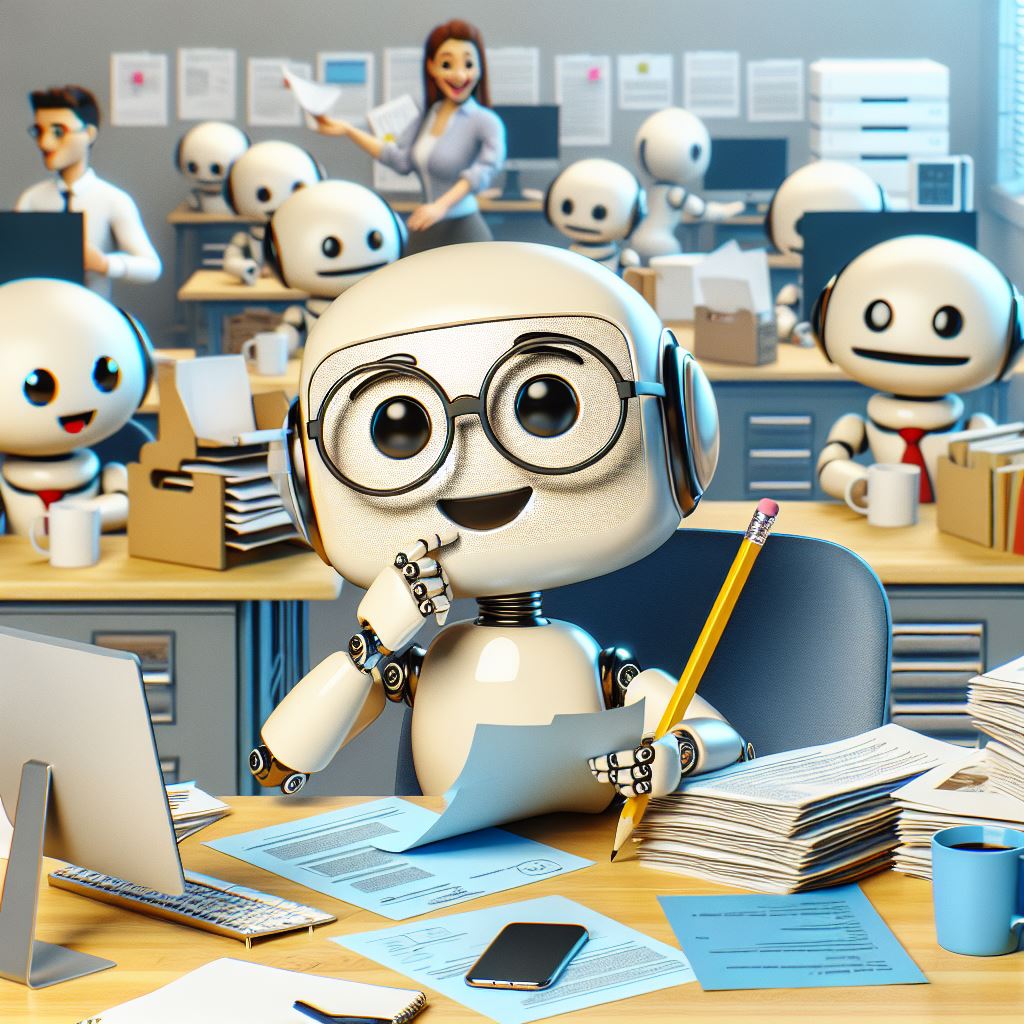
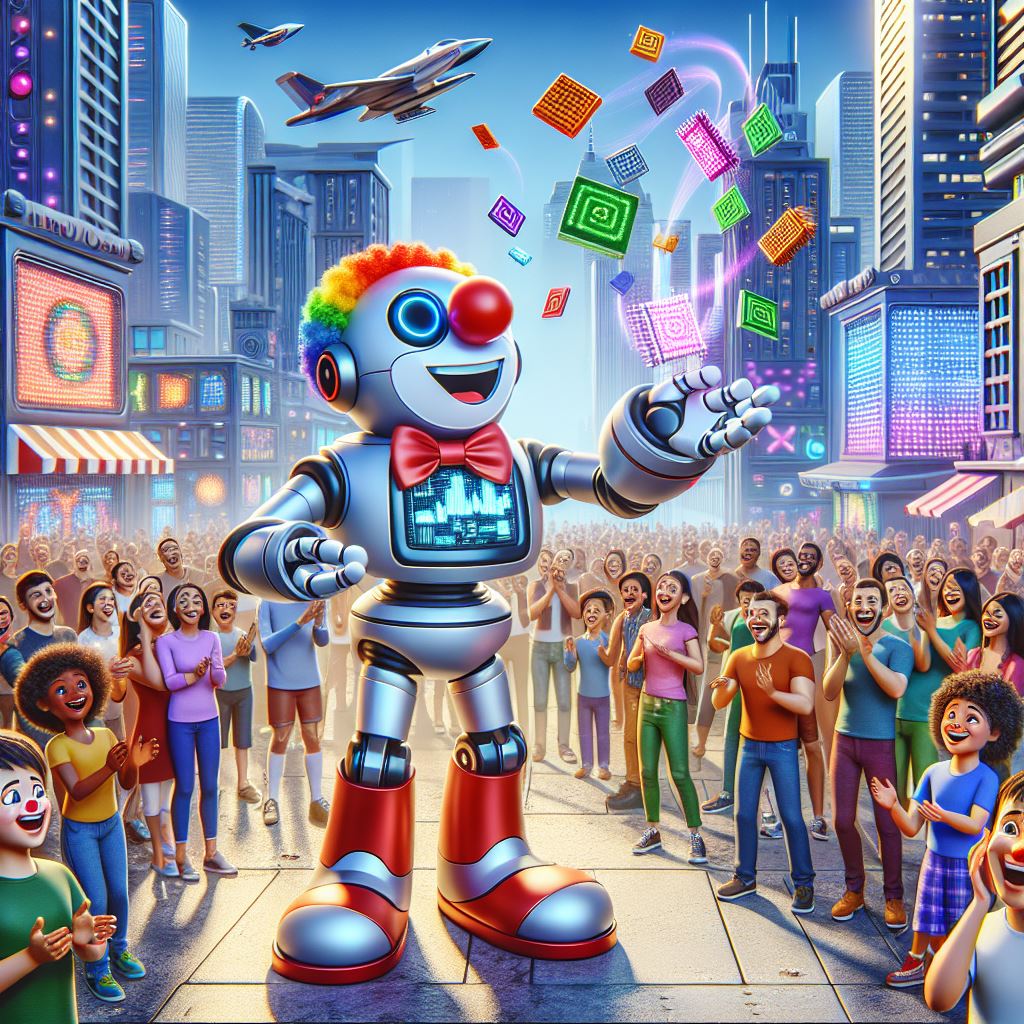
When not attached to schoolwork, I find AI to be interesting because there is so much that I do not know about it and there is so much it can do. For example, I asked Microsoft Co-Pilot to “make me a funny picture about AI” and this is what it popped out.
Similarly, during our class activity time, when we were tasked with asking AI a simple general question and then expanding to a more specific question, the questions I chose also demonstrated a good non-school use of AI. Example below in the form of a screencast.
Whether using it for picture creation, learning new recipes, or asking about the weather, AI can make searching and learning easier and quicker! This can be beneficial in the classroom but may pose some drawbacks.
My current L2P class is in Grade 5, and I do not believe there is a reason they should necessarily be able to use AI freely. I do believe that there is a place for AI in this classroom, but only as a teaching moment or a group search led by the teacher, taking into account what my L2P partner commented on my last blog post about working new technologies into our classroom. What I mean by this is that it is good that the students are taught about programs like Chat GTP and Microsoft Copilot, but they must also be taught how and when to use AI safely. Most students will have access to or stumble upon AI platforms on their own, so teaching them how and when to use them is vital. An introductory activity or use of AI in the classroom could be if the teacher opens an AI platform like Microsoft Copilot on the big screen and, together as a class, researches a question or plays with image creation. I do not believe it is appropriate for students this young to use AI on their own because they cannot properly notice or asses possible risk factors and it would turn into more of a distraction then a learning tool. With more education behind it, I believe it can be used more for middle school students when it comes to idea generation, simplification of text, or research purposes.
Personally, I do not use AI for writing my schoolwork or answering test questions, partially because I do not know how to use it but also because I believe in doing the work yourself and proving to yourself and your teacher/professor that you actually know what you are doing/talking about. On the other hand, I do not judge people who use it for whatever purpose because everyone is on their own path, and AI can have positive benefits as well as negative. In the past, I have used AI to re-explain a piece of text that was not clicking and create a mind map to use to assess what I was looking at. The redefining task worked well and gave me a better understanding of my topic, but I found that when asking it to create a mind map, it became more confusing and unhelpful than how I had started.
As you can probably tell, I have pretty mixed feelings about the use of AI in schools and maybe it’ll get clearer in the future after more learning on my part and my thoughts will evolve.
This week in Tech we learned how to screen record with audio and how to make a simple video interactive in a multitude of ways. For my screen recording teaching video, I demonstrated how to make a simple poster on Canva. It was very interesting to learn how to record a video of my screen, and I am honestly excited to be able to use it in different ways to aid student understanding and learning. When it came to making a video interactive, I was surprised that this was even possible because, in my mind, a video is just a recording and not able to be interacted with beyond maybe sound quality, brightness and length editing. Below I have added my first ever interactive screen recorded video! I hope you enjoy because I sure did making it. : )
I also have a link here that you can follow to get to Canva to start designing.
As for the topics of discussion this week I am going to touch on the questions wondering if including H5P tools could potentially be a useful tool at the grade level I hope to teach (or not), and how Multi-media Learning Theory can help create more effective instructional videos and tutorials.
When it comes to deciding on which grade I would like to teach I am admittedly still up in the air a little but for my Link2Practice I am in a grade 5 class so I will use that as my grade level reference. I strongly believe that the H5P tools would be perfect to use in videos for my grade 5 class because there are a few kids who, like myself, have a shorter attention span when listening to long educational videos that do not pertain to their interests. But if there was an interactive part where the class could guess the correct answer out of 4 options or if a question is true or false, they would likely be far more attentive (I know I would). They would get to be a part of the video and interact in a way that is more memorable than a person droning on and on. Rather than being told to pay attention because they will have to individually answer questions after, they get to answer questions in a group and get a collective excitement if they get the answer right and if they get it wrong, increased anticipation for the next question to win/beat the system collectively.
As for the use of Multi-Media Learning Theory, I again strongly believe that it significantly benefits learners in elementary and up. When there are too many things going on in a PowerPoint-like presentation or video, kids’ attention spans can drift from the main points of the demonstration to less vital details like a presenter’s face. As we talked about in class, we are drawn to faces, and kids are no exception, so having a camera on during the presentation could mean they are not retaining the information that prompted the presentation in the first place; the same goes for too many graphics/pictures especially if they are irrelevant to the topic. On the other side of this theoretical coin, there is also an issue with there not being enough additional stimulation to help kids draw connections between what they are listening to/reading. If you have a page of just text or if you are speaking with no additional visuals, the kids are less likely to remember what was being taught because it can start to blend together. So, to combat this, we must include relevant visual aids like pictures, gifs, or short video clips that can be mixed in with pages of blocky text or long drawn-out spiels. Kids are also well known to not all learn and absorb information in the same way, so to include multiple different types of media for the same presentation is also, at its simplest, a form of inclusion that should be applied in every presentation.
(See the pics below as an example of non-relevant pictures that, although beautiful, do not connect to what I have been talking about.)
The first pic is from a beach in my hometown at sunset, and the second pic is of two of the five goats that were my coworkers over the summer (Albert is the white one, Frank is the darker one, and they are besties). I took both photos myself! : )
I believe that education is constantly evolving, and continued imagination is key to beneficial improvement to the curriculum. There are things in the current education system that can be used as a foundation but adapting to the changing times and needs of students is very important. For example the students that are growing up with the current level of technology in the world and the classroom need to be taught differently than I was and those before me who had much different levels and appreciations of technology within classrooms.
Q: What obstacles do educators often face when they try to change pedagogy?
One obstacle to changing pedagogy is doing it alone. If one teacher or school changes its educational structures too drastically, it risks not fully preparing its students for higher educational structures, like universities, that still use the old structures. Another challenge educators could face is the pushback from parents not fully trusting that their children are going to be fully prepared for the future. Similar to the parent in the “Most Likely To Succeed” video, some parents believe that since they were taught using this system, it is good enough for their kids, or it scares them because it is so different than anything they know or are used to.
Q: What concerns or excites you about this approach?
One thing that excites me about this approach and hopeful change is that there is so much we can continue to learn and improve for the students to come! I am excited to see where education pedagogy goes in the future and what new adventures it holds for us!
This is a picture I took myself of the monkey tail tree on campus.